
AI in IT: Future Trends, Real World Applications, and Ethical Challenges
AI is no longer a side project in IT. It is moving into ticket queues, security operations centres, code editors, cloud platforms, and incident rooms. The change is not only about faster automation. It is about IT systems that can observe patterns, suggest fixes, write code, detect attacks, and learn from every event.
For technology teams, the next few years will bring a practical question: which parts of IT should AI handle, and which parts still need human judgement? The answer will shape reliability, security, hiring, software quality, and trust.

AI is changing IT operations from reactive to predictive
Traditional IT operations often work like emergency response. A service slows down, alerts fire, engineers check dashboards, logs are searched, and the team works backwards to find the cause. AI changes this pattern by spotting weak signals before users feel the impact.
In IT operations, AI is already being used to:
Detect unusual behaviour in infrastructure metrics
Group related alerts into a single incident
Suggest likely root causes
Predict capacity issues
Automate routine fixes
Improve service desk response times
This shift is often called AIOps, short for artificial intelligence for IT operations. The term can sound abstract, but the idea is simple. Modern IT environments produce too much data for humans to review manually. Logs, traces, network flows, cloud events, container metrics, database queries, and user activity all arrive at high speed. AI helps identify what matters.
A common example is alert noise. A single outage in a cloud-hosted application might trigger alerts from the database, API gateway, Kubernetes cluster, and monitoring tools. Instead of treating each alert as separate, AI systems can cluster them and show that they point to the same issue. That saves time during incidents, when every minute matters.
Real-world tools such as Dynatrace, Datadog, New Relic, Splunk, and ServiceNow use machine learning in different ways to help teams detect anomalies, connect events, and manage incidents. Cloud providers also build AI into monitoring and operations services. These tools do not remove the need for site reliability engineers or system administrators. They give them a better starting point.
The future of IT operations will likely include more self-healing systems. For example, if a service runs out of memory every few days, an AI-assisted system could detect the pattern, restart affected workloads, open a ticket, and recommend a code or configuration change. In low-risk cases, it may act automatically. In high-risk cases, it should ask for approval.
That boundary matters. Automated recovery is useful only when teams understand what the system is doing and can override it when needed.
Cybersecurity will become faster, but also more complex
Security teams face the same data problem as operations teams, but with higher stakes. Attackers hide inside noise. A failed login, a strange file download, and a rare network connection may mean nothing on their own. Together, they may show an attack in progress.
AI helps security teams connect these signals.
Modern security platforms use AI to:
Detect abnormal login behaviour
Identify phishing attempts
Analyse malware patterns
Spot unusual data movement
Rank alerts by risk
Support threat hunting
Summarise incident evidence
Microsoft Defender, Google Chronicle, CrowdStrike, Palo Alto Networks, and other security platforms use AI and machine learning across detection and response workflows. Email providers use AI to filter spam and phishing. Banks and payment networks use AI models to flag suspicious transactions, including unusual UPI or card activity in India.
One useful security application is user and entity behaviour analytics. If an employee account usually logs in from Bengaluru during working hours, then suddenly downloads a large volume of files from another country at midnight, the system can mark it as suspicious. The alert is not based on one fixed rule. It is based on a pattern that does not fit normal behaviour.
AI also helps in malware analysis. Security tools can examine file behaviour in a sandbox and compare it with known malicious patterns. This supports faster detection of variants, even when attackers change file names, hashes, or delivery methods.
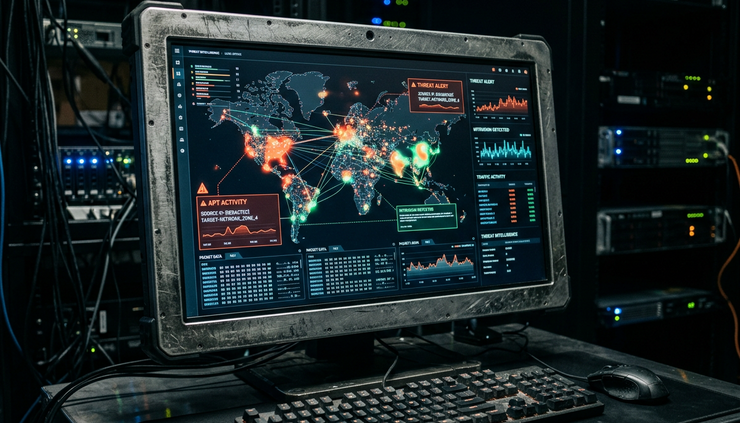
The difficult part is that attackers also use AI. Generative AI can help write more convincing phishing emails, automate reconnaissance, create fake support chats, and generate malicious code samples. Deepfake audio and video can also increase the risk of social engineering.
This creates a cycle. Defenders use AI to detect attacks faster. Attackers use AI to scale and customise attacks. That means security teams cannot treat AI as a shield that works on its own. They still need strong basics:
Multi-factor authentication
Least-privilege access
Network segmentation
Patch management
Secure backups
Incident response drills
Human review of high-risk alerts
AI can raise the speed and quality of security work, but weak foundations will still fail.
Software development is moving towards AI-assisted engineering
Code generation is the most visible AI use case in IT. Tools such as GitHub Copilot, Amazon Q Developer, Google Gemini Code Assist, and ChatGPT can explain code, suggest functions, write tests, convert code between languages, and help developers work through unfamiliar APIs.
For developers, the benefit is not only faster typing. AI is useful when it reduces friction. It can generate boilerplate, draft unit tests, explain legacy code, or suggest a regular expression. It can also help new team members understand a codebase.
A developer might ask an AI assistant to:
Explain what a legacy Java method does
Write test cases for an API endpoint
Convert a Python script into a scheduled cloud function
Find possible causes of a failing build
Suggest a safer database query
Draft documentation for a service
These examples show why AI-assisted development is becoming normal. The editor is turning into a thinking partner, though not always a reliable one.
The risk is over-trust. AI-generated code may compile but still contain security flaws, licence issues, performance problems, or subtle logic errors. It may also suggest outdated packages or unsafe defaults. Developers still need code review, testing, threat modelling, and clear engineering standards.
A good approach is to treat AI output like a junior draft: useful, quick, and worth checking. The human developer remains responsible for the final code.
AI will also change software testing. Test generation, flaky test detection, visual testing, and automated bug triage are getting stronger. In large systems, AI can help identify which parts of the codebase are most likely affected by a change. That can reduce wasted time while keeping quality checks strong.
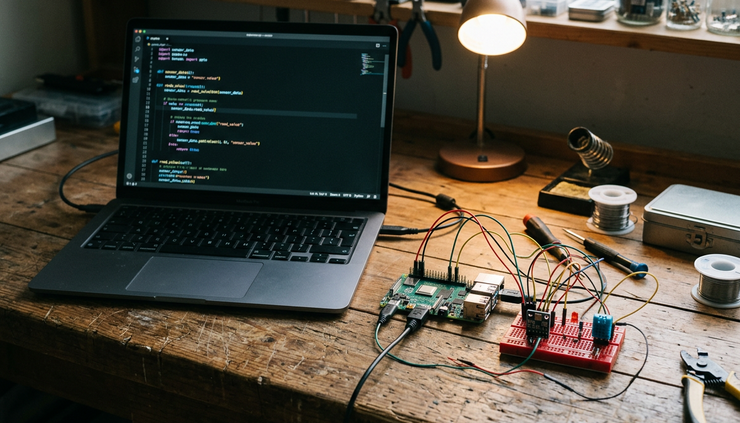
Another major shift is natural language as an interface for software work. Instead of clicking through many screens, engineers can ask systems to create a test environment, summarise a pull request, or explain why a pipeline failed. Cloud consoles, DevOps platforms, and observability tools are already moving in this direction.
This does not make programming disappear. It changes the skill mix. Clear problem framing, system design, debugging, security thinking, and review discipline become even more valuable.
Emerging trends are pushing AI deeper into the IT stack
The future of AI in IT will not be defined by chatbots alone. Several trends are likely to shape how AI becomes part of daily technology work.
Agentic AI will handle multi-step tasks
AI agents are systems that can plan and perform a sequence of actions. In IT, an agent might inspect an alert, query logs, check recent deployments, compare metrics, open an incident, and recommend a rollback.
This is powerful, but it needs guardrails. An agent that can read logs is low risk. An agent that can change firewall rules or delete cloud resources needs strict permissions, approvals, and audit trails.
Expect more AI agents inside DevOps, IT service management, and cloud administration tools. The best ones will be limited, observable, and easy to stop.
Small models will run closer to where data lives
Large AI models get attention, but smaller specialised models may matter more in IT. They can run inside private clouds, edge devices, factories, telecom networks, and regulated environments. This helps when data cannot leave a system due to privacy, latency, or compliance needs.
For India, this is especially relevant in sectors such as banking, telecom, healthcare, and public services, where data handling and governance matter. The Digital Personal Data Protection Act has also made data responsibility a board-level concern.
AI will become part of cloud cost management
Cloud bills are complex. AI can help detect waste, forecast spending, and recommend better resource choices. For example, it can flag underused virtual machines, abnormal storage growth, or traffic patterns that suggest a configuration issue.
This will matter as organisations run more AI workloads, which can be expensive. GPU usage, model training, inference costs, and data movement all need careful planning.
Knowledge systems will become more useful
Many IT teams have documentation scattered across tickets, chat logs, wikis, runbooks, and code repositories. AI can turn this into a searchable knowledge layer. During an incident, engineers could ask, “Have we seen this error before?” and get a useful answer with links to past fixes.
The challenge is quality. If the knowledge base contains outdated or wrong information, AI will repeat it with confidence. Clean documentation still matters.
The hard problems are trust, ethics, and control
AI brings real gains, but it also creates new risks. The biggest question is not whether AI can perform a task. It is whether the organisation can trust the result and prove that trust when something goes wrong.
Bias can enter IT systems through training data, access patterns, and historical decisions. For example, an AI tool that ranks support tickets may learn from past behaviour and give less attention to certain teams, regions, or user groups if the data reflects old gaps. That can create unfair service quality.
Privacy is another concern. Logs often contain sensitive data, including user identifiers, IP addresses, device details, transaction references, and sometimes accidental personal information. Feeding this data into AI tools without controls can create compliance and trust problems.
Security of AI systems also matters. Models can be attacked through prompt injection, data poisoning, stolen credentials, or unsafe tool access. If an AI assistant can query internal systems, attackers may try to trick it into revealing secrets or taking harmful actions.
Organisations need clear rules for responsible use:
Good practice | Why it matters |
Limit AI access by role | Prevents tools from seeing or changing too much |
Keep audit logs | Shows what the system did and why |
Review high-risk actions | Keeps humans in control of critical changes |
Protect sensitive data | Reduces privacy and compliance risks |
Test models regularly | Finds drift, errors, and unsafe behaviour |
Explain decisions where possible | Builds trust with teams and users |
There is also a workforce impact. AI will automate some routine work, especially repetitive ticket handling, basic scripting, and first-level monitoring. At the same time, it will create demand for people who can manage AI systems, validate results, secure models, design workflows, and translate business needs into technical controls.
The practical path is not blind adoption or fear. It is measured use. Start with low-risk tasks. Track outcomes. Keep humans involved. Build internal skills. Create policies before problems appear.
The IT teams that gain the most from AI will not be the ones that automate everything. They will be the ones that know where automation helps, where human judgement matters, and how to connect both safely.
AI is becoming a core layer of IT, from operations and security to software development and knowledge management. Its value will come from better decisions, faster response, and stronger systems. Its risks will come from poor governance, weak data controls, and overconfidence. The future belongs to teams that treat AI as a powerful engineering tool, not magic.
Comments